从 2024 年 3 月 12 日起,使用新版发布方式替换旧版 OSSRH 发布方式。
注册账户
进入官网
Maven 中央仓库官网:https://central.sonatype.com/
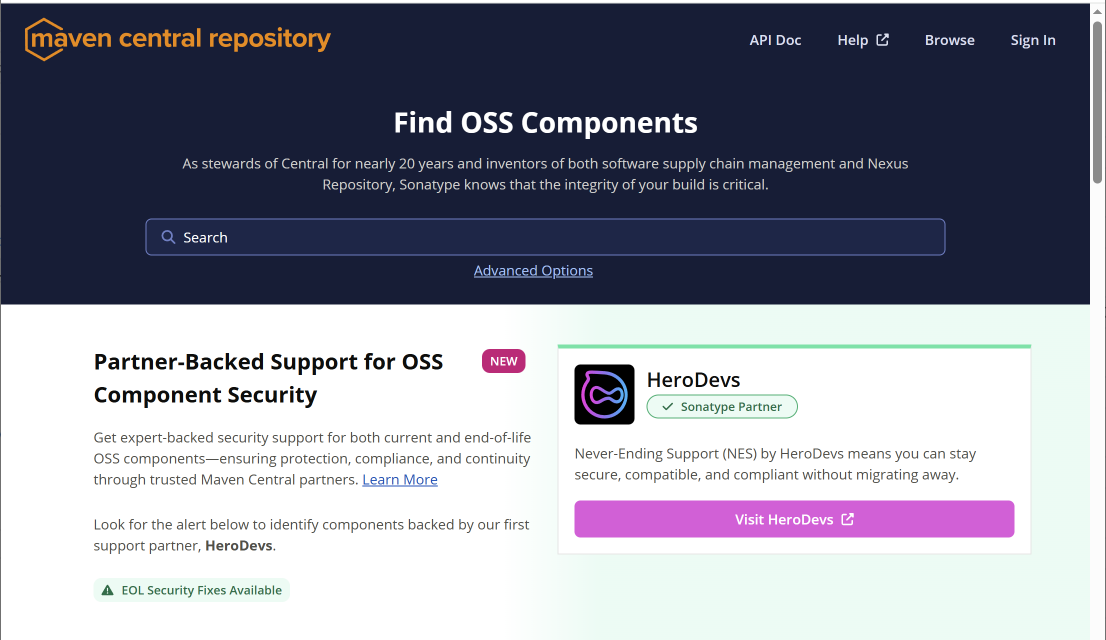
点击 Sign In
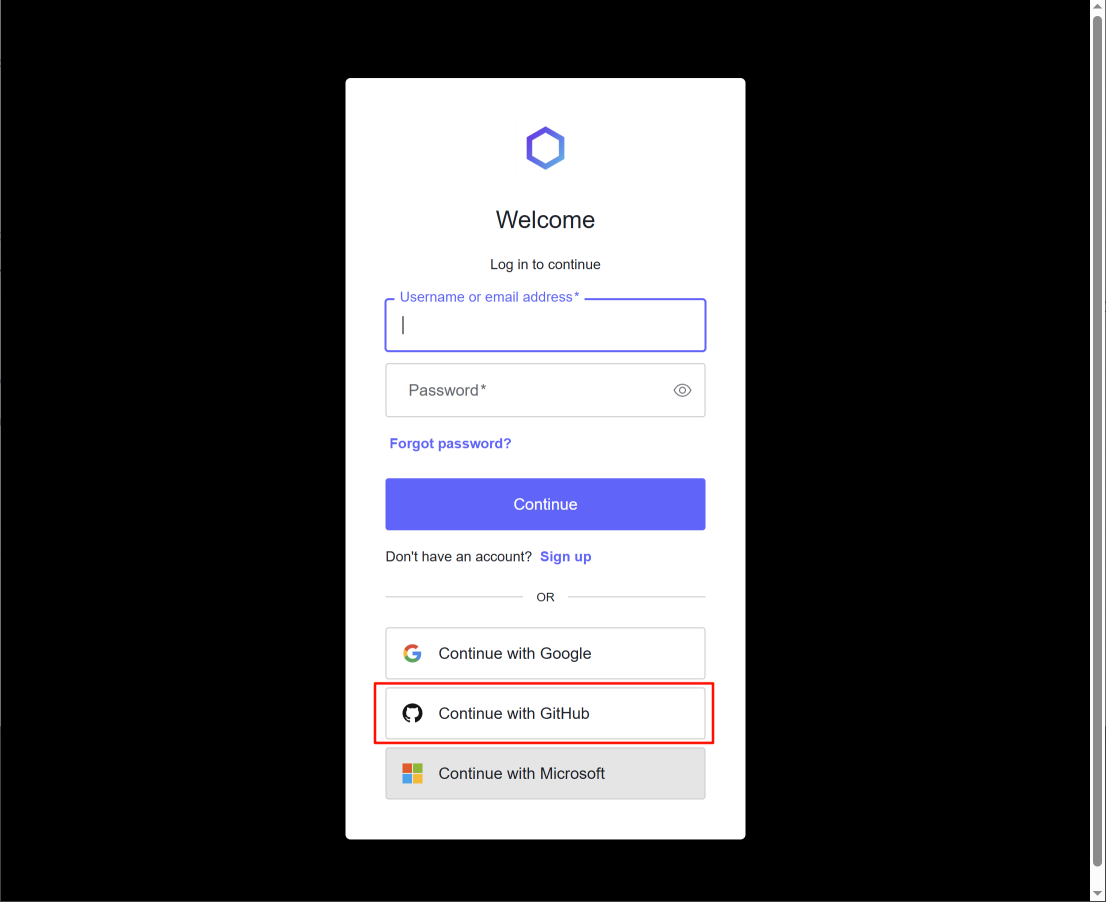
选择 Continue with GitHub
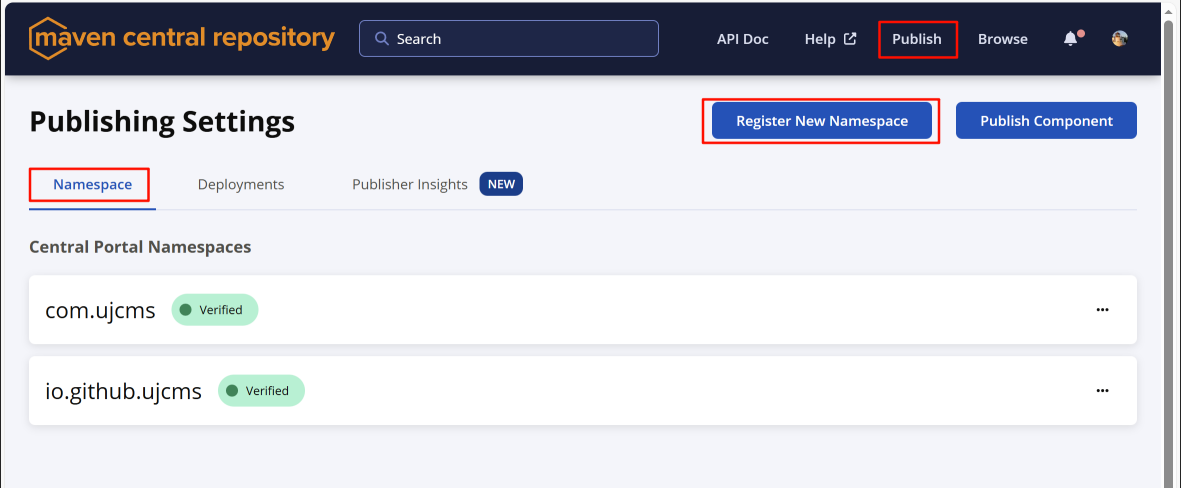
创建 Namespace
可以使用默认的 github namespace(如:io.github.ujcms),或者创建自己的 namespace。
创建自己的 namespace 必须拥有域名,需要 dns 解析验证 namespace。比如拥有域名 ujcms.com,可以创建 namespace 为 com.ujcms。
创建 Token
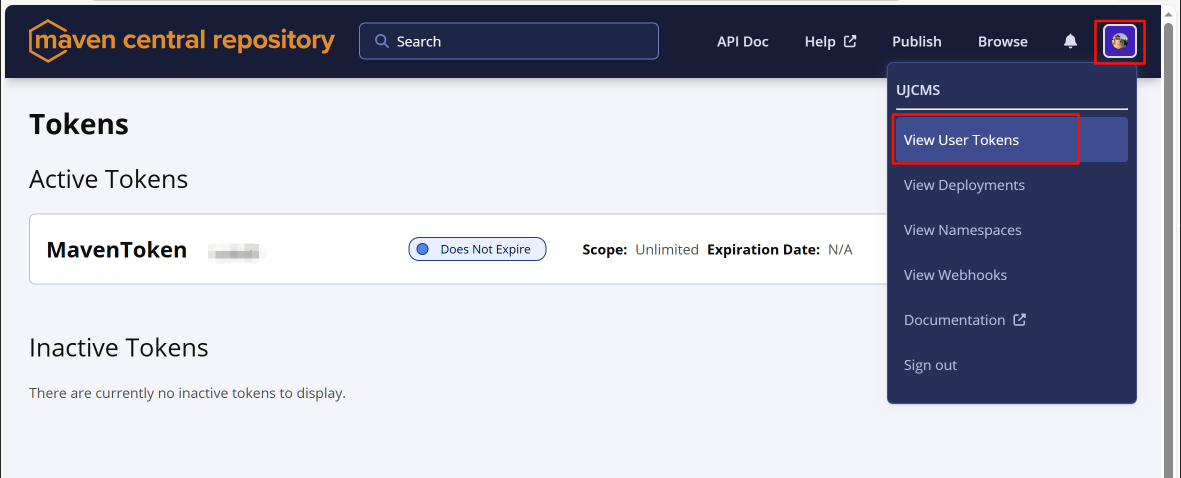
获得用户名和密码,此处密码不是网站的用户名密码,而是用于配置 settings.xml 的用户名密码,后面会用到。
<server>
	<id>${server}</id>
	<username>******</username>
	<password>*******************************</password>
</server>
GPG key
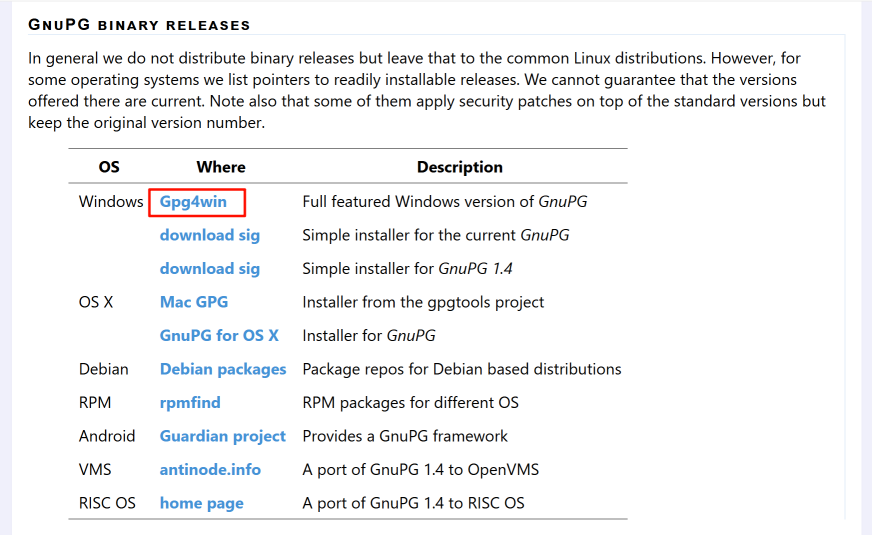
下载 Gpg4win
下载地址:https://gnupg.org/download/index.html
默认安装即可。
生成密钥
gpg --full-generate-keyReal name使用 github 提交者的名称。只是一个标识,关系不大。Email address使用 github 提交者的 email。其它默认即可。
设置密码时,需要记住密码。用于配置
settings.xml中的your-gpg-passphrase,后面会用到。
pub   ed25519 2025-12-01 [SC]
      ***************************************
星号位置为 Key ID,发布到服务器时 --send-keys 的参数。
可以使用 gpg --list-keys 查看。
发布到服务器
gpg --keyserver keyserver.ubuntu.com --send-keys ***************************************验证是否成功
gpg --keyserver keyserver.ubuntu.com --recv-keys ***************************************
# 以下内容代表成功
gpg: key ****************: "name <name@example.com>" not changed
gpg: Total number processed: 1
gpg:              unchanged: 1
Maven 配置
settings.xml
your-token-username:"创建 Token" 中的 "username"your-token-password:"创建 Token" 中的 "password"your-gpg-passphrase:"生成密钥" 中的 "密码"
<settings>
  <servers>
    <!-- Server ID must match publishingServerId in pom.xml -->
    <server>
      <id>central</id>
      <username>your-token-username</username>
      <password>your-token-password</password>
    </server>
  </servers>

  <profiles>
    <profile>
      <id>central-publishing</id>
      <activation>
        <activeByDefault>true</activeByDefault>
      </activation>
      <properties>
        <gpg.executable>gpg</gpg.executable>
        <gpg.passphrase>your-gpg-passphrase</gpg.passphrase>
      </properties>
    </profile>
  </profiles>
</settings>
pom.xml
  <build>
    <plugins>
      <!-- Compiler Plugin -->
      <plugin>
        <groupId>org.apache.maven.plugins</groupId>
        <artifactId>maven-compiler-plugin</artifactId>
        <version>3.14.1</version>
        <configuration>
          <source>${maven.compiler.source}</source>
          <target>${maven.compiler.target}</target>
        </configuration>
      </plugin>

      <!-- Source Plugin -->
      <plugin>
        <groupId>org.apache.maven.plugins</groupId>
        <artifactId>maven-source-plugin</artifactId>
        <version>3.3.1</version>
        <executions>
          <execution>
            <id>attach-sources</id>
            <goals>
              <goal>jar-no-fork</goal>
            </goals>
          </execution>
        </executions>
      </plugin>

      <!-- Javadoc Plugin -->
      <plugin>
        <groupId>org.apache.maven.plugins</groupId>
        <artifactId>maven-javadoc-plugin</artifactId>
        <version>3.12.0</version>
        <executions>
          <execution>
            <id>attach-javadocs</id>
            <goals>
              <goal>jar</goal>
            </goals>
          </execution>
        </executions>
      </plugin>

      <!-- GPG Plugin -->
      <plugin>
        <groupId>org.apache.maven.plugins</groupId>
        <artifactId>maven-gpg-plugin</artifactId>
        <version>3.2.8</version>
        <executions>
          <execution>
            <id>sign-artifacts</id>
            <phase>verify</phase>
            <goals>
              <goal>sign</goal>
            </goals>
          </execution>
        </executions>
      </plugin>

      <!-- Central Publishing Plugin -->
      <plugin>
        <groupId>org.sonatype.central</groupId>
        <artifactId>central-publishing-maven-plugin</artifactId>
        <version>0.9.0</version>
        <extensions>true</extensions>
        <configuration>
          <!-- 与 settings.xml 中的 server id 一致 -->
          <publishingServerId>central</publishingServerId>
          <tokenAuth>true</tokenAuth>
        </configuration>
      </plugin>

      <!-- Skip default deploy plugin -->
      <!-- 新版的发布方式,需要忽略默认的发布步骤,否则会重复发布或报错(缺失 distributionManagement 配置时) -->
      <plugin>
        <groupId>org.apache.maven.plugins</groupId>
        <artifactId>maven-deploy-plugin</artifactId>
        <version>3.1.4</version>
        <configuration>
          <skip>true</skip>
        </configuration>
      </plugin>
    </plugins>
  </build>
发布到 Maven 中央库
mvn clean deploy

 赣公网安备 36010402000389号